Problem
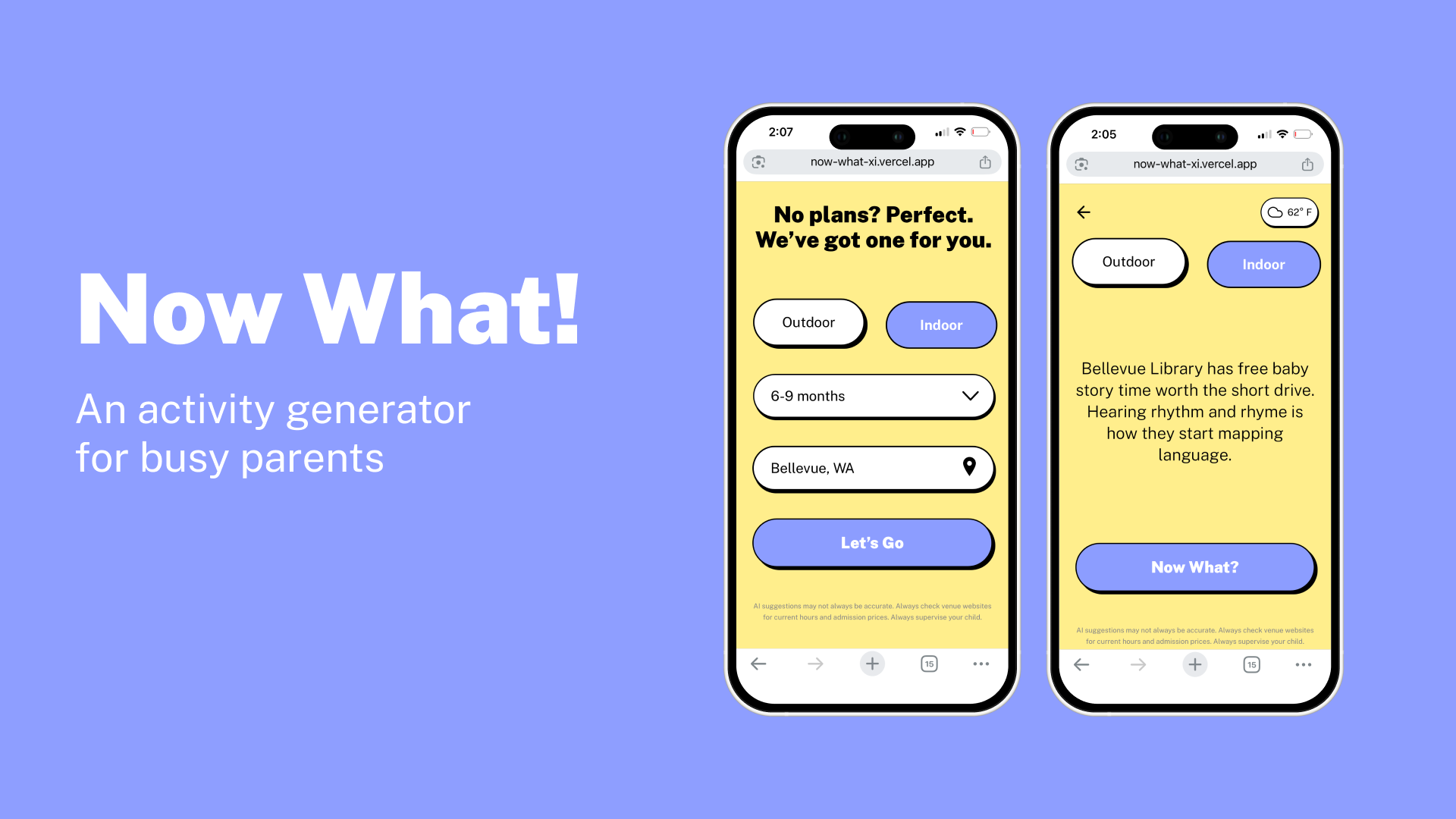
As a parent of a seven-month-old, I needed activity ideas for my child, but I didn’t always have the time or mental bandwidth to plan anything. I knew I wasn’t alone. Google searches return listicles. Local event sites require sorting and filtering. All of them assume a level of focused, uninterrupted research time that many don’t have.
Solution
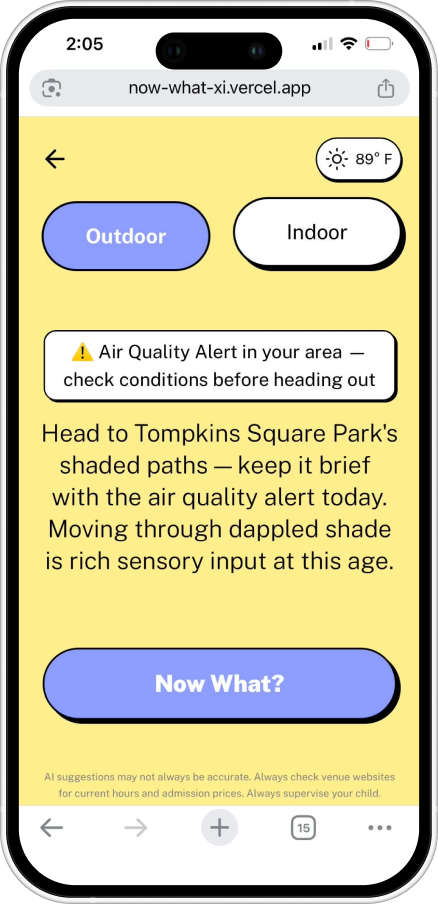
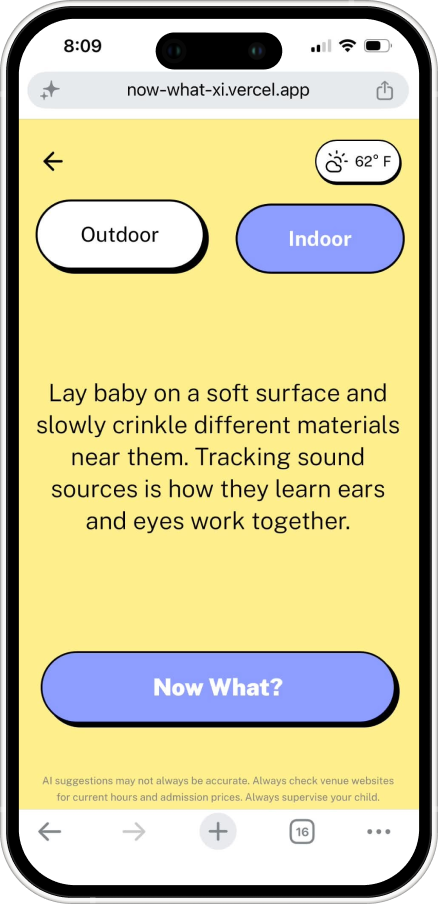
Now What? A simple activity generator for parents suffering from decision fatigue. It generates one activity suggestion at a time, calibrated to the parent's location, their child's age, the current weather, and whether they want to go out or stay in. The suggestion appears in two sentences: the activity itself, followed by a brief developmental insight explaining why it is appropriate for the child's age.
The app pulls real-time weather data from Open-Meteo, safety alerts from the National Weather Service API, and nearby venues from Google Places. It was built entirely with AI tooling: Claude.ai for product thinking and prompt engineering, Figma MCP for design handoff, Claude Code for development, and Vercel for deployment. No code was written manually.
Prompt Engineering & Safety
The system prompt is the core of the product. Writing it was less a technical task than a product-definition exercise. Format required hard constraints. The model needed to return exactly two sentences, under 24 words, with specific banned sentence starters and a server-side fallback for responses that ran long. Activity examples were included as creative inspiration but explicitly forbidden from appearing verbatim in output.
Safety rules had to be equally specific. No loose objects smaller than a toilet paper roll for children under two, no direct sunlight for infants, parent always described as within arm's reach for children under twelve months.
Specific rules also revealed an operational risk. Iterative edits to the prompt caused safety parameters to be inadvertently overwritten. That failure led to a testing protocol: run age-specific test cases against the prompt after every edit, before pushing anything to production. When output has real-world consequences, the system prompt needs to be treated as a versioned, tested artifact.
Product Decisions
Voice needed to feel relatable without steering users. AI-generated parenting content defaults to an enthusiastic, advice-heavy tone that can feel patronizing. The system prompt was engineered to produce something that sounds like a recommendation from a knowledgeable friend. Specific cultural shorthand proved more effective than lengthy tone descriptions: telling the model to avoid "you've got this mama energy" outperformed multiple paragraphs defining what warmth should sound like.
The interface has one screen with two states. Settings persist between sessions so returning users never re-enter their information. Indoor and outdoor are presented as equal choices, not as a toggle that could be interpreted as a right-or-wrong answer. Every element that added friction was removed.
The Data Problem
One of the earliest assumptions behind Now What? was that a reliable API for free local family events existed for free. The kind of hyperlocal, real-time data that would allow the app to suggest a specific library storytime or community center drop-in rather than a generic venue type.
Eventbrite deprecated their public search API in 2023, making third-party event discovery unavailable without a direct partnership. Ticketmaster's Discovery API covers ticketed family events but misses the free, drop-in programming that represents the majority of what parents of young children actually need. Library storytimes, community center open gyms, park district events. Individual library systems and parks departments maintain their own event calendars, with no standard API or aggregation layer. The hyperlocal family event data that would make Now What? most useful does not exist in a reliably accessible, scalable form.
The solution was a fallback hierarchy that degrades gracefully rather than failing. Google Places provides real venue names and addresses for nearby libraries, parks, community centers, and indoor playgrounds, giving Claude specific locations to reference even without live event data. When venue data is unavailable, the app generates home and backyard activities that require no external data. The data problem was not solved. It was designed around.
Technical Architecture
Now What? is a React application built with Vite, styled with Tailwind CSS, and animated with Framer Motion. The frontend is intentionally simple. Two screen states, a small number of components, and no client-side data persistence beyond local storage. The complexity lies in the server layer and prompt engineering, not in the UI.
The most consequential architectural decision was the choice of the Express proxy server. Calling the Anthropic API directly from a React frontend exposes the API key in the browser, a security vulnerability that disqualifies the approach for any production application. The proxy server sits between the frontend and the Anthropic API, keeping credentials server-side, handling the Claude API call, and returning only the suggested text to the client. This pattern applies to any AI-powered consumer application and is worth establishing early rather than retrofitting later.
Real-time data flows through four external APIs. Open-Meteo provides current weather conditions using coordinates derived from the browser's geolocation API or a Google Geocoding lookup on manually entered locations. The National Weather Service API checks for active alerts at the same coordinates and surfaces them as a non-blocking banner that informs without overriding the parent's decision. Google Places queries are run against the user's coordinates, filtered by indoor or outdoor preference, and return real venue names that Claude incorporates into the suggestion. The Figma MCP connection allowed Claude Code to read the design file directly during development, eliminating manual design-to-code translation.
Reflections
A more disciplined API integration sequence would have saved time. Wiring multiple APIs in parallel introduced debugging complexity that was difficult to isolate. When something broke, it was not always clear which layer had failed. Establishing and confirming each API in isolation before introducing the next would have made regressions easier to identify and reverse.
The application was designed mobile-first in Figma, with the iPhone screen as the primary canvas. Adapting the layout to desktop introduced complexity that was not fully anticipated at the outset. Managing text expansion across wider viewports and ensuring button sizing remained consistent between screen sizes required more iteration than expected. Building the desktop responsive layer earlier in the process would have surfaced these challenges sooner.
Results
Now What? is a live, deployed web application accessible at [URL]. It generates age-appropriate, location-aware activity suggestions for parents of children from birth to ten years, informed by real-time weather data, active safety alerts, and nearby venue information.
User testing revealed that suggestions needed more context. Each activity now includes a brief educational insight explaining why it is appropriate for the child's age. Testing also identified the need for fee transparency, so the app now discloses whether an activity or venue is associated with a fee.
AI tooling accelerates execution. It does not replace judgment. Every decision that made Now What? useful required product thinking that preceded and directed the tools. The tools built what was defined. Defining it well was the work.